This guide is for flying schools and training organisations setting up and running PilotIQ — a branded theory, readiness and logbook platform for your students and instructors.
1. Create your organisation
- At pilotiq.com.au, choose Create your organisation (or For Organisations) and sign up as a school.
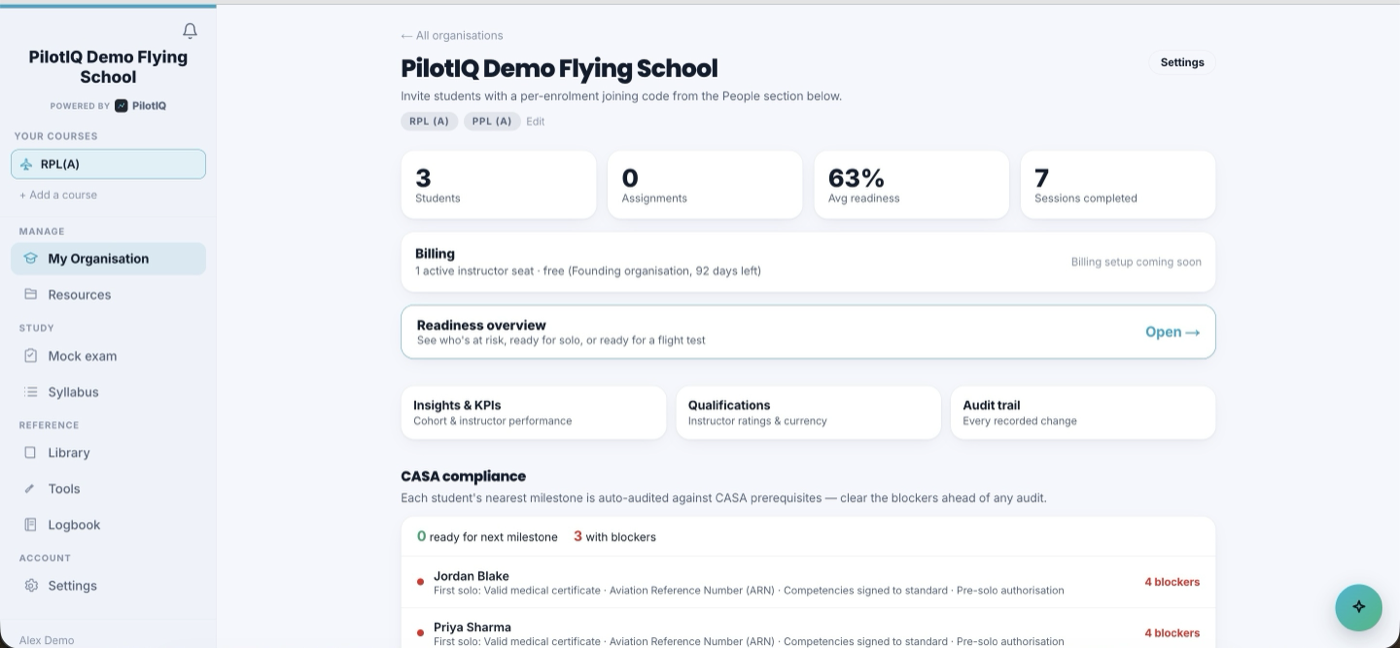
- Name your workspace, then set your organisation type and authority — e.g. a CASA flying school, or a military squadron. This tailors the workspace: the compliance checks, report packs and terminology follow the authority you operate under, and a squadron behaves differently from a Part 141/142 school.
- You'll land on your organisation dashboard — students, readiness, compliance and management all in one place.
2. Add your branding
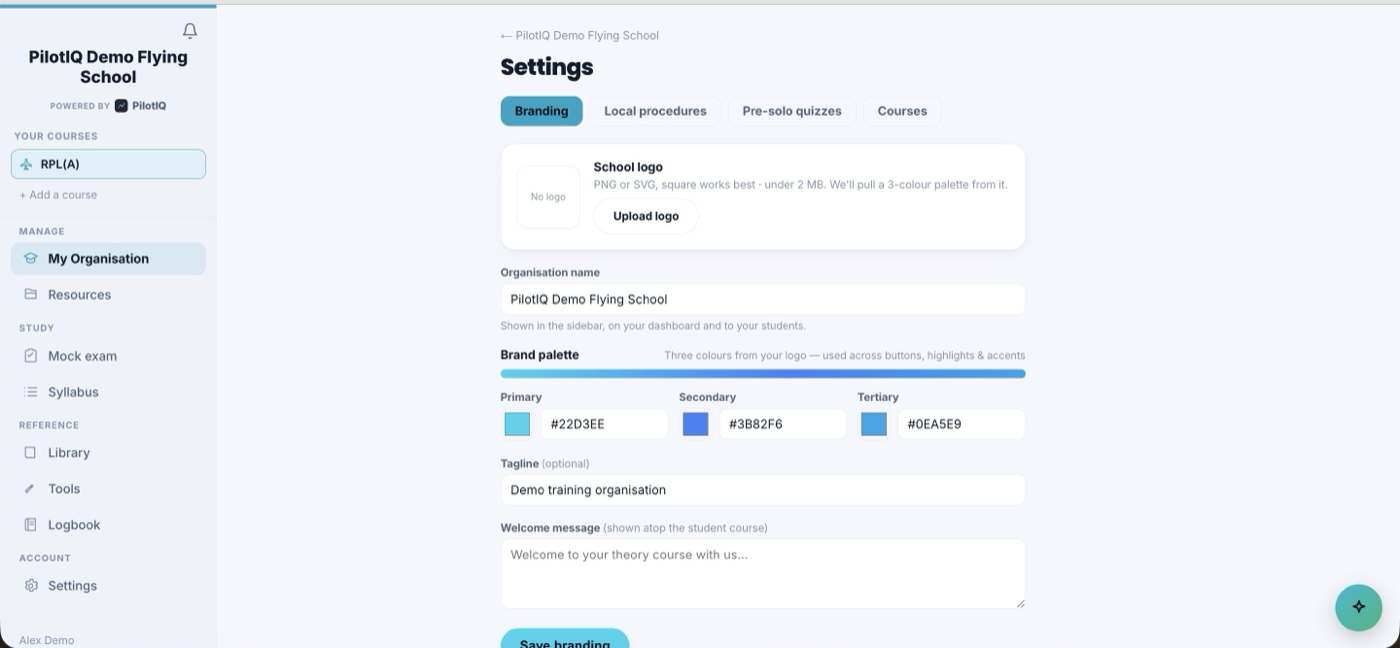
Make it yours in Settings → branding:
- Upload your logo — PilotIQ auto‑matches your brand colour and themes the whole experience (students, instructors and staff all see your identity, quietly powered by PilotIQ).
- Set your display name, tagline and welcome message.
3. Add students & send invites
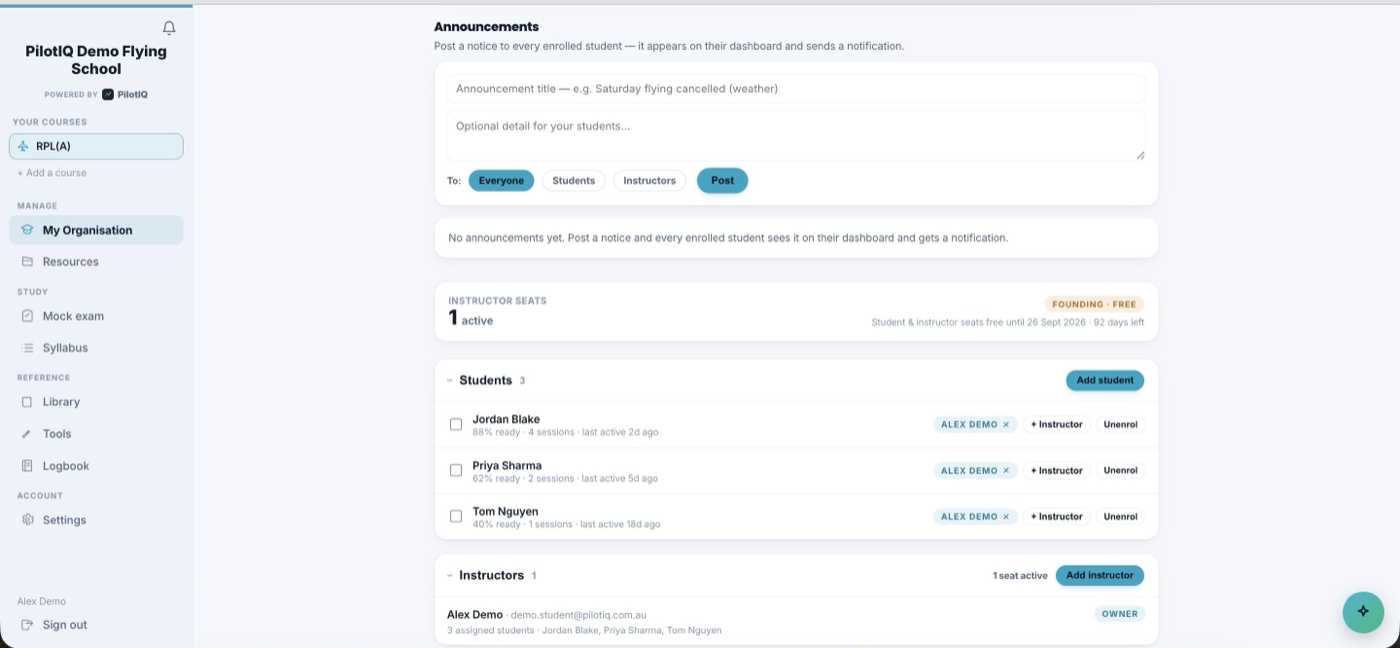
From the People section, add a student with their name, email and course. PilotIQ creates a per‑enrolment join code and automatically emails the student a branded invite containing that code and a one‑tap link to join your organisation. When they sign up with it, they're linked to you and see your branded course.
Onboarding a whole intake at once? Use bulk / CSV student onboarding — upload a spreadsheet of names, emails and courses and PilotIQ creates every enrolment and sends every branded invite in one pass, so a new cohort is set up in minutes rather than one student at a time.
4. Manage your instructors
Instructors request to join; you approve them. Each active instructor is a clean, controllable seat. Assign students to a primary instructor, and track instructor ratings and currency under Qualifications.
5. Deliver lessons
Release your CASA‑aligned ground course to your cohort:
- Deliver lessons one at a time or in bulk by knowledge area.
- Each lesson generates a branded slide deck to present in‑browser or download as PowerPoint.
- Add your local procedures (circuits, checklists, airspace) alongside the base theory.
6. Readiness dashboard
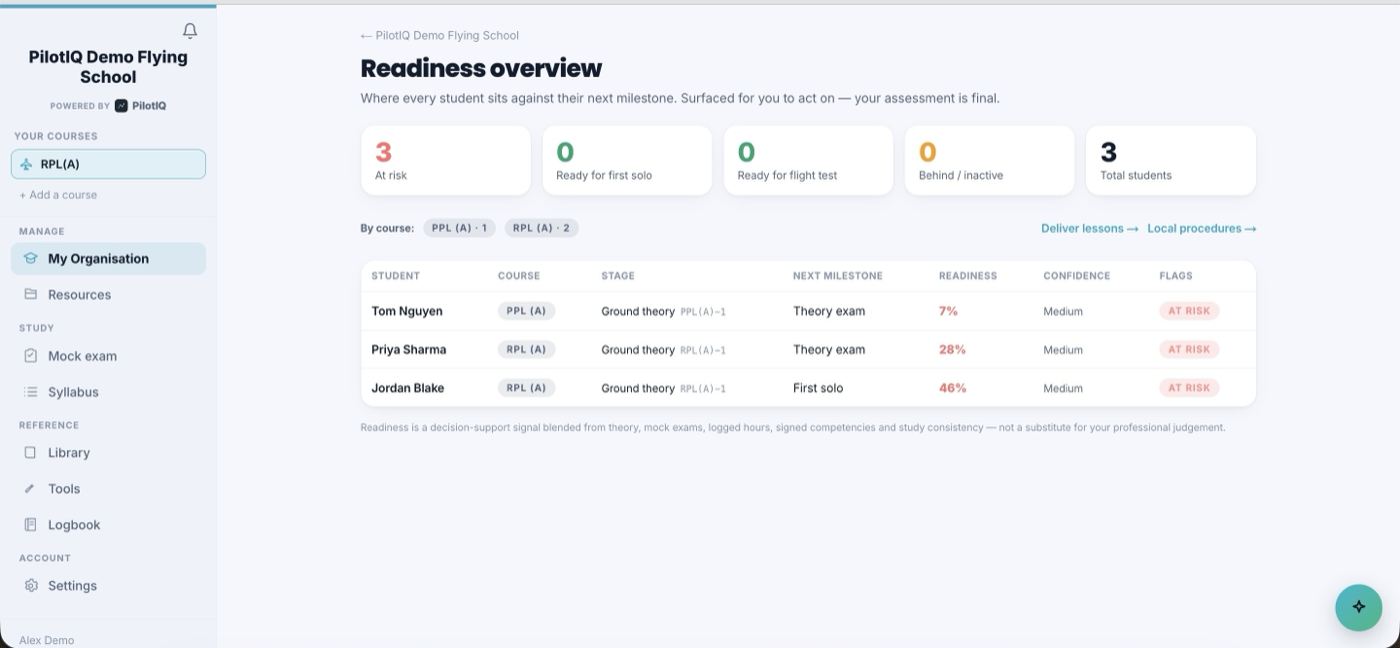
The Readiness overview shows your whole cohort at a glance — who's at‑risk, ready for solo, or ready for a flight test — replacing spreadsheets and paper progress sheets. Drill into any student for their full picture.
7. Cohort, fleet & standardisation
Beyond individual students, PilotIQ gives you the organisation‑wide tools a school or squadron runs on:
- Cohort syllabus matrix — your whole intake against every syllabus item in one grid, so you can see at a glance who has covered what and where a cohort is bunching up or falling behind.
- Org‑shared fleet — register your aircraft once at the organisation level and every instructor and student draws from the same fleet, so registrations, types and classes stay consistent across everyone's logbooks.
- Unit standardisation board — your shared standards, briefings and moderation notes in one place, so every instructor teaches and assesses to the same benchmark.
- Examiner check‑ride register — a live record of flight tests and proficiency checks by examiner, candidate and outcome.
8. Compliance & audit packs
Each student's nearest milestone is auto‑audited against your authority's prerequisites — for a CASA school, that's medical, pilot identifier (ARN), competencies signed to standard, pre‑solo authorisation and so on; other authorities use their own. Clear the flagged blockers ahead of any audit or inspection, and rely on the audit trail of every recorded change.
When an audit, unit inspection or currency review comes around, generate the export packs:
- Audit trail — a complete, tamper‑evident history of recorded changes and sign‑offs.
- Instructor qualification register — every instructor's ratings, endorsements and currency.
- Compliance board — the current state of every student against their prerequisites.
These give an auditor or inspector a single, self‑contained evidence pack instead of a scramble through spreadsheets.
9. Insights, qualifications & comms
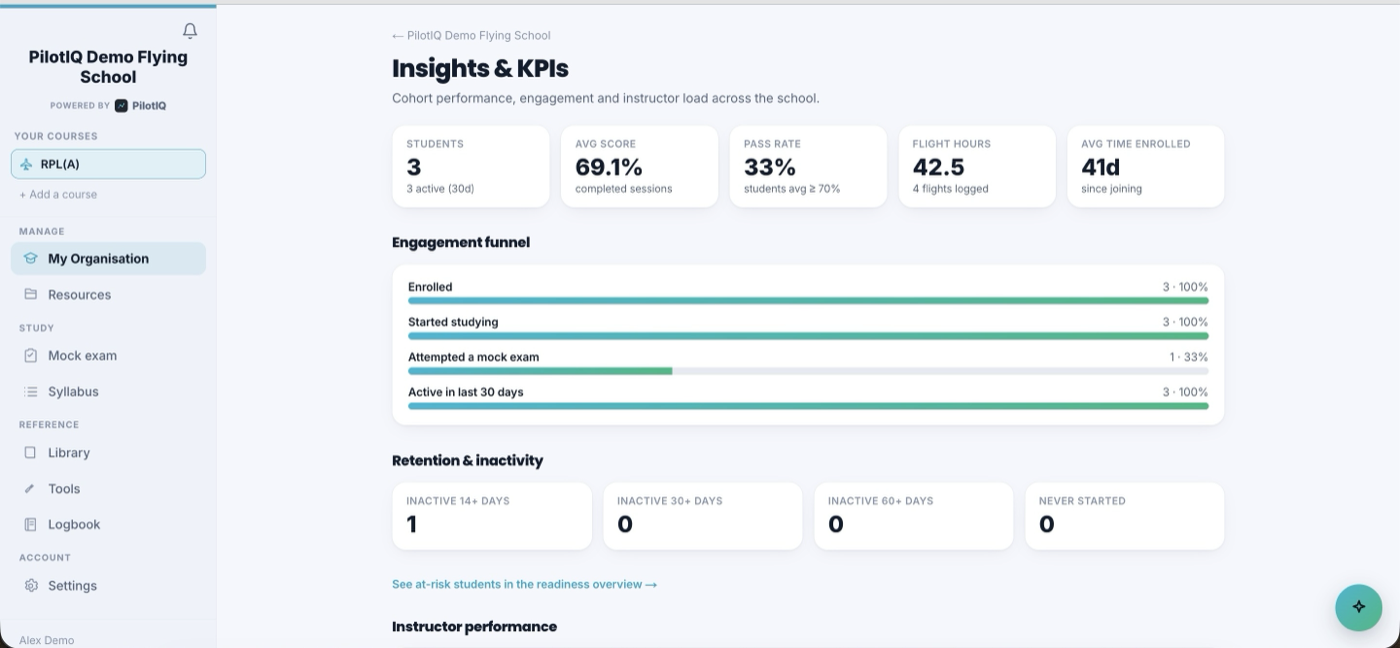
- Insights & KPIs — cohort and instructor performance.
- Qualifications — instructor ratings and currency.
- Announcements & messages — keep students and staff informed.
10. Pricing
Founding organisations run free for the first three months — free student and instructor seats — and your students self‑fund their own course at the member rate. Talk to us at training@pilotiq.com.au.
PilotIQ supports your training delivery; your organisation remains responsible for meeting its authority's rules and the validity of its endorsements.